

NMEA WiFi Router II

Highlights

  • Secure wireless access to marine instrument data
  • 2 galvanically isolated NMEA 0183 inputs
  • Supports GPS/AIS and all common devices
  • Multiplexing from both NMEA inputs
  • Optional ethernet ports and internet routing
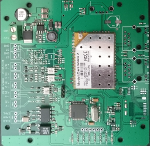
Wireless NMEA 0183 network

The new vYacht's Wifi Router is the second generation of this popular device. The router brings marine instrument data to your iPad and on-board computer. It creates a wireless network via a shared access point to distribute your GPS position, AIS and other information. Multiple clients can connect to the same wireless network. Simply attach the router to any marine device conforming to the NMEA 0183 standard. Almost all common chart plotters, instrument or AIS deliver this output.

The data provided by these devices is automatically broadcasted in a secure way via WiFi. Optionally cable bound ethernet is available. The vYacht's Wifi Router II supports marine charting software like iNavX on the iPad or PC based navigation software.

GPS/AIS, log and windspeed on your iPad

The standard and cheaper iPad Wifi does not come with a GPS. If you still want to use it for navigation the Wifi router is the perfect option. But even if your iPad supports GPS there is still a lot of other data to be shared such as AIS or depth, wind and speed information. Inputs to the vYacht's Wifi Router II are isolated to avoid ground loops and signal noise. They also provide over-voltage protection. NMEA data from both inputs are multiplexed. Many have internet available on board already. Via an optional ethernet input internet connection can be routed as well.

The vYacht's Wifi Router II comes in 3 different versions:

Two NMEA inputs, WiFi output: This is the base version for everyone who just needs instrument data on iPad/iPhone/Android or laptop/PC with WiFi connector.

Two NMEA inputs, WiFi output and one LAN/ethernet port: This version is the same as above but adds an additional ethernet port to the router. This ethernet port is can be used to ether route internet from another router via WiFi or to connect instrument data via ethernet

Two NMEA inputs, WiFi output and two LAN/ethernet ports: This version adds another ethernet port to the router. Instrument data and internet is available via ethernet and WiFi.

Features

The new vYacht's WiFi Router comes as a kit: board and case. The main reason is to keep the costs even lower for those who want the option.

Many boat owners are handy and appreciate the hackability. The source code of the routers operating system and other software components are open.

The new router has many more features while coming at a cheaper price. Who ever purchases the bundle of board and case with the case will only need a screw driver to attach the NMEA wiring and connect the router to the 12V on-board power. Obviously something that needs to be done with and without case.

Hardware
NMEA Interfaces Two isolated NMEA 0183 interfaces
WiFi / internet interfaces WiFi for wireless network to iPad, PC and Mac
Two optional 10/100Mbps-LAN/WAN-Port for cable network to PC and Mac and internet
Powersupply 12V DC (standard on-board)
For fixed installations attach to navigational instrument switch/fuse
Size(l x w x t) 92.4 mm * 78 mm * 1.6 mm (board only)
Wireless range Dependend on the location of the router. Installed centrally and close to the nav corner the router works well everywhere on sailing vessels measuring 40 feet. Please provide feedback about experiences on much larger vessels.
Temperature range Most components are rated -40 to +85 °C. However the RT3050 chip on the actual wireless module is rated -10 to +55 °C operating temperature.
Power consumption The FCC certified wireless module consumes the vast amount of power. If used for heavy duty downloads it will consume max. 1.5W.
Case
Available Colors blue, white or mixed body/lock
Size(l x w x h) 102 mm * 96 mm * 29 mm
Material Printed PLA. PLA as a base material is often used for through hull fittings.
Printed PLA is very stable and has good UV (ultra-violet) tolerance.
Water resistance The router should be installed into a dry place. The WiFi only version can be made watertight by using marine sealant.
Software
OS openWrt firmware
NMEA GPS & AIS processing GPSD

Downloads

Manual
Software
Schematics